Web UI
TokenJam Lens, the local dashboard at http://127.0.0.1:7391. Dashboard is the triage view; the sidebar also carries Optimize with its analyzer children, Sessions with its Alerts and Budget tabs, Traces, and the FAQ.
tj serve starts TokenJam Lens, a local dashboard at http://127.0.0.1:7391/.
tj serveThe web UI is a single bundle served by the local REST API. It has no external dependencies and makes no outbound calls; it reads the same local store the CLI does.
The sidebar
The nav is persona-aware, so what you see depends on what telemetry you have. The full set:
| Entry | Route | Notes |
|---|---|---|
| Dashboard | #/dashboard | The default landing view and the triage front door. |
| Optimize | #/optimize | Analyzer children are injected beneath it, one per analyzer with a real finding, in rank order. |
| ↳ Summarize | #/optimize/summarize | Static child, always present. |
| ↳ Relearn | #/optimize/rules | Static child, always present. |
| Sessions | #/sessions | Carries Alerts and Budget as tabs rather than nav entries of their own. |
| Traces | #/traces | Hidden for the Claude Code persona, which reaches per-session traces from the session detail’s Traces tab. |
| FAQ | #/faq | Pinned last, separated as a reference page. |
Two routes resolve without appearing in the nav. Spend (#/cost) is built and populated, and hidden for both personas on purpose. The baseline-comparison view (#/drift) is un-surfaced and aliases to Sessions. #/status and #/analytics are silent aliases for Sessions and Dashboard, so old bookmarks land somewhere real.
How costs are framed
TokenJam never tells you that you “saved” money. It only ever shows what is estimated recoverable, and it adapts the unit to how you pay:
- Subscription plans (the “Max 5x plan” badge by the page title) — you see your token share and a × plan value multiplier (how many times your flat plan fee your usage is worth at on-demand rates). You never see a raw dollar figure, because there isn’t one to show.
- API keys — you see dollars, since every token has a real per-unit price.
- Per-item cost is always tokens. Traces, agents, and the cost table report token counts; the dollar/multiplier translation only happens at the headline level.
Every recoverable-waste figure carries an Estimated tag. Nothing is presented as realized savings until you act on it.
Dashboard
The Dashboard is the default landing view. It merges what used to be the separate “Overview” page into a single triage surface, so the first thing you see is where your tokens are going and what is recoverable.
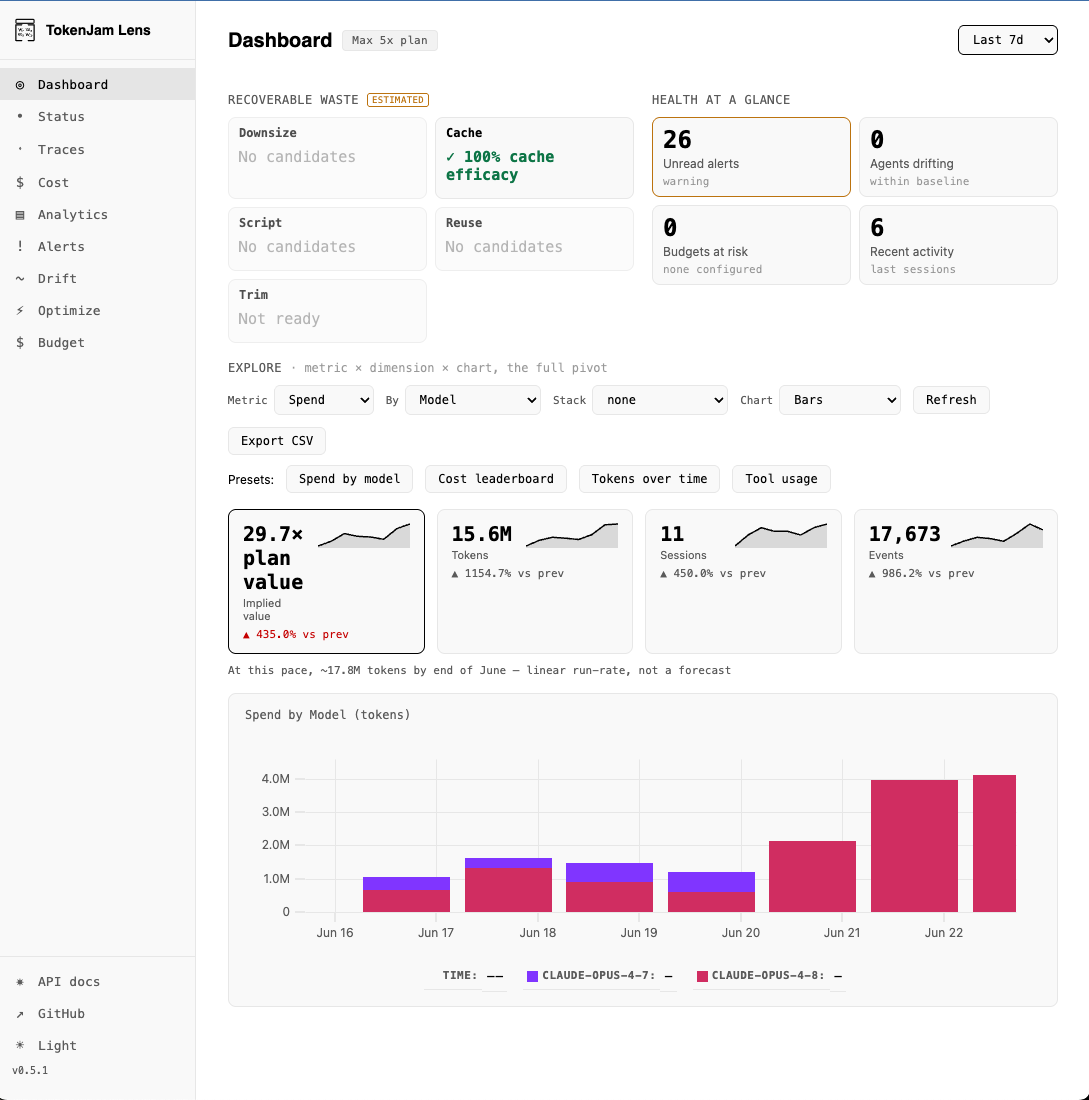
It has three stacked sections:
- Recoverable Waste (Estimated) — one tile per analyzer that ran, ordered biggest-waste-first to match the CLI’s ranking. Each tile carries one of four honest states: it found recoverable waste (and shows the figure), it is already at the ceiling, it ran and found nothing actionable in this window, or it could not run (capture off, a missing dependency, skipped). Tiles drill through in place: click one to expand the underlying detail without leaving the Dashboard.
- Health at a glance — pending fixes, unread alerts, budgets at risk, recent activity, and shipped this week, each as a single-number card. A card whose own read has not answered renders a shimmer or a
?rather than a zero, because a zero on a health band reads as “you are fine”. - Spend exploration — an embedded pivot explorer: pick a metric × dimension × chart (e.g. Spend by Model as Bars), flip the Stack, and read the headline KPIs (× plan value, tokens, sessions, events) with period-over-period deltas and a run-rate line. One-click Presets (Spend by model, Cost leaderboard, Tokens over time, Tool usage) and Export CSV are built in. The time-window selector (Last 7d / 30d / 90d) scopes the whole page.
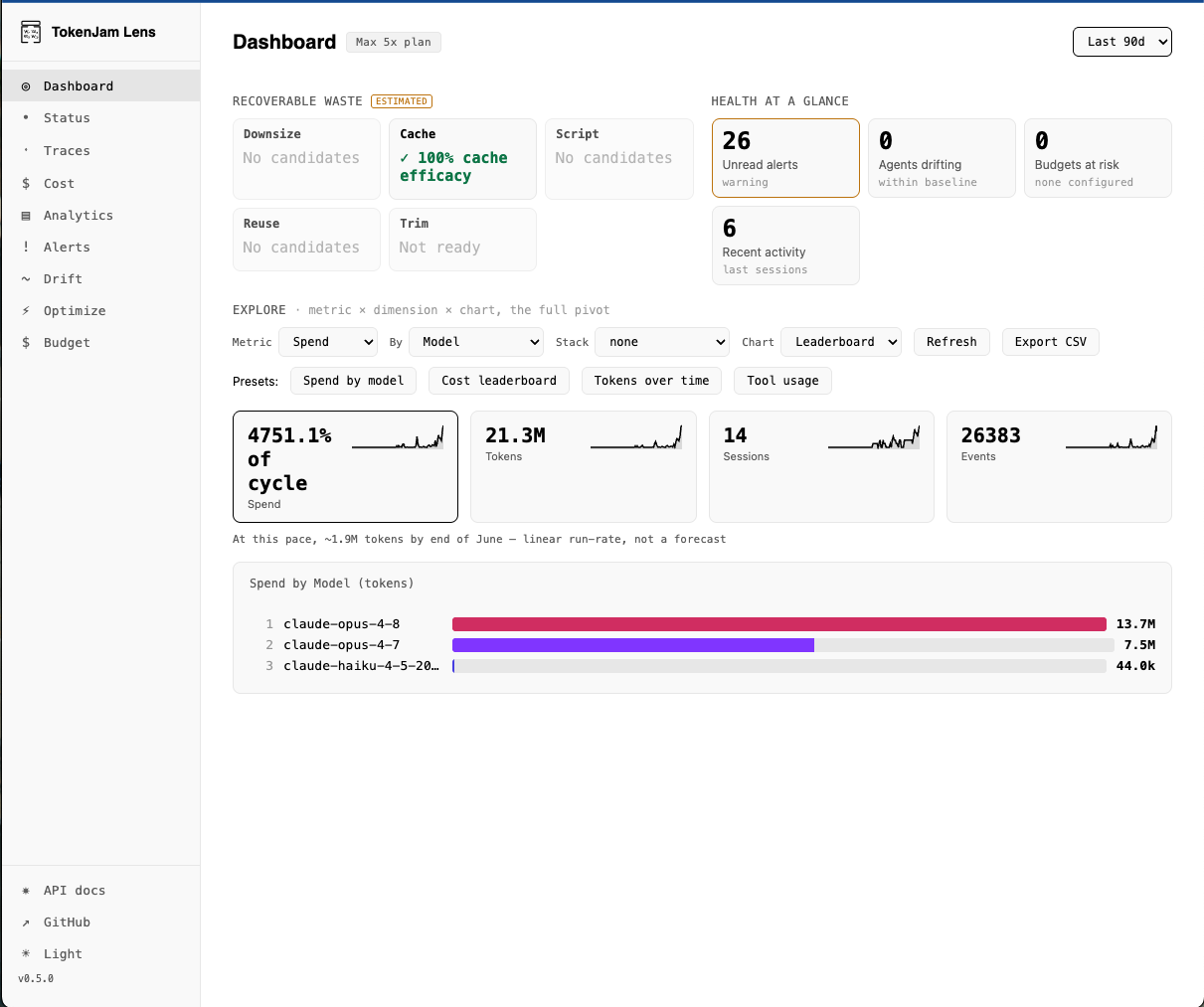
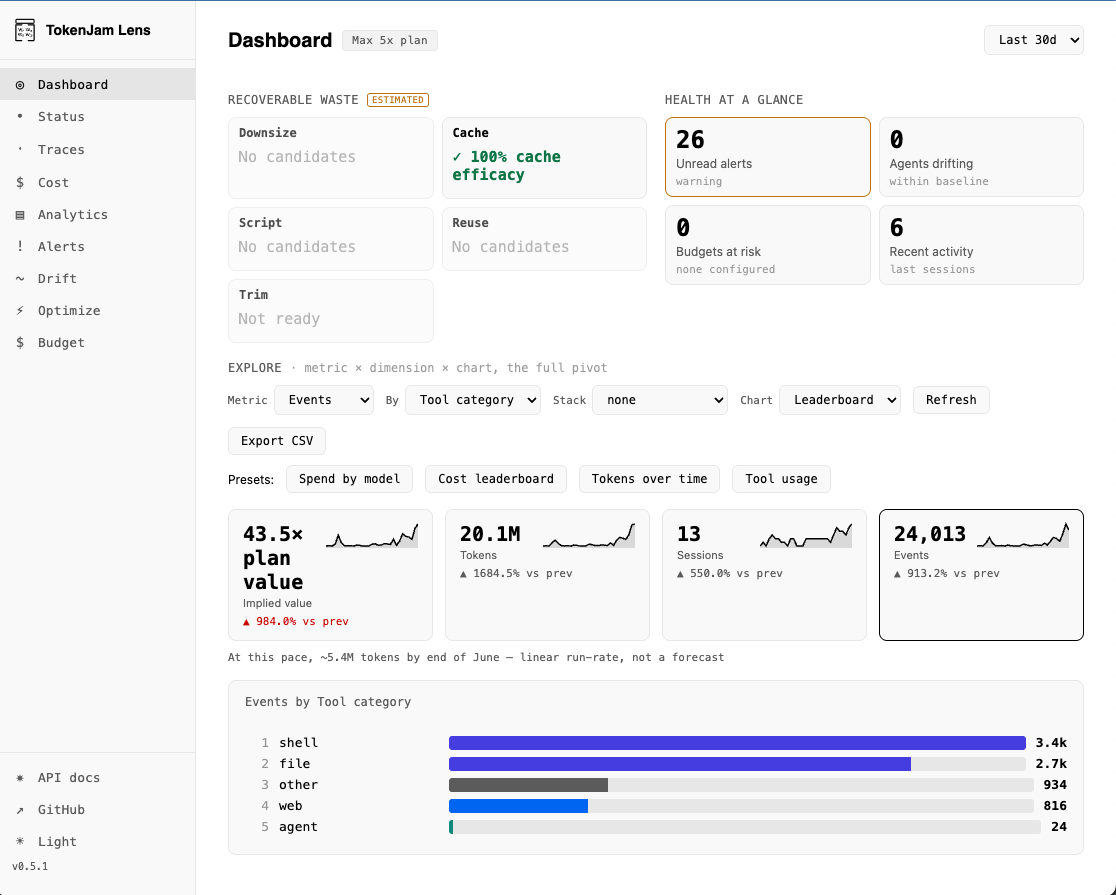
The same pivot answers different questions without leaving the page:
Cost leaderboard — Spend × Model as a ranked leaderboard.
| Tool usage — Events × Tool category, ranked.
|
Sessions
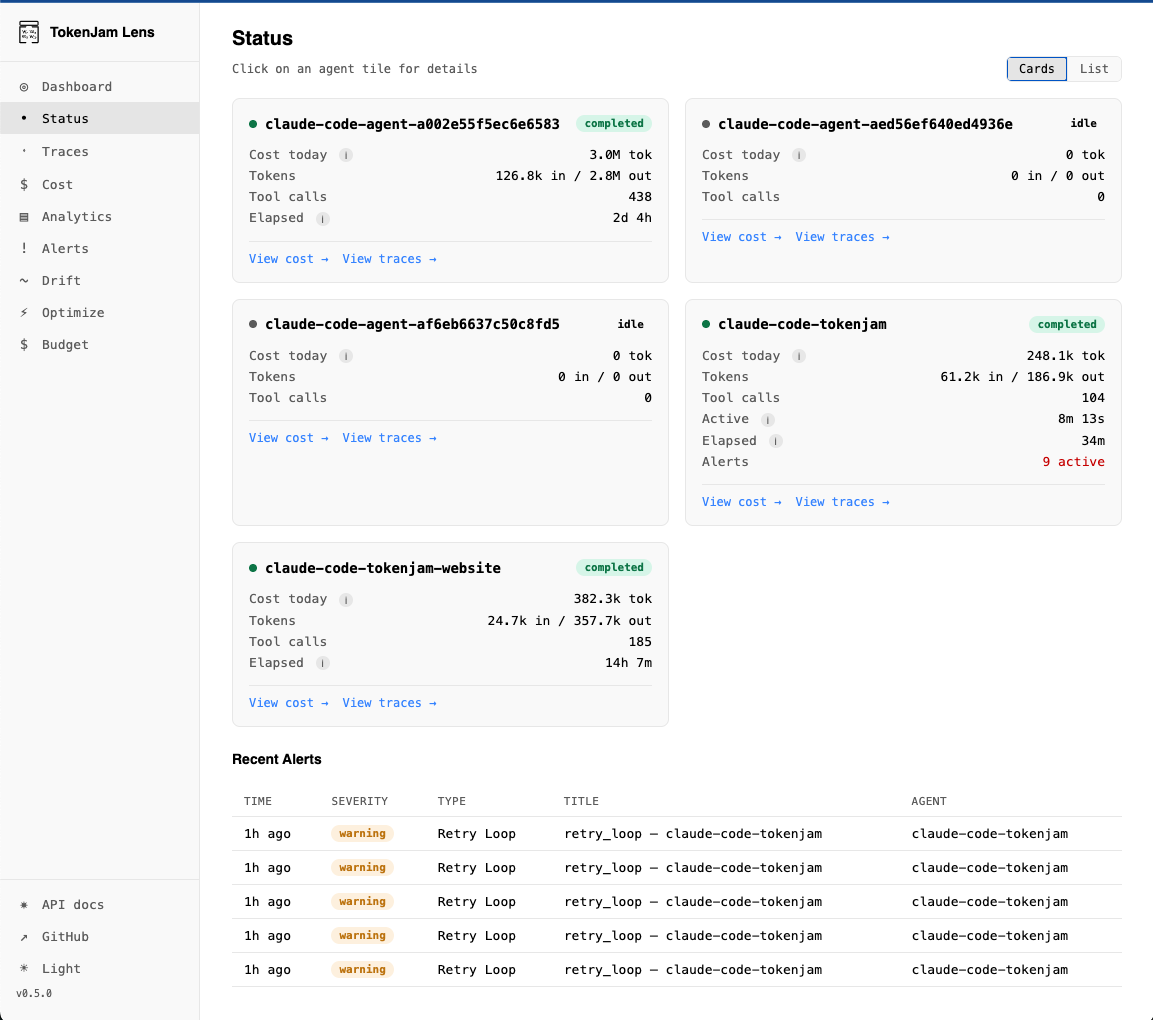
Per-agent overview, reached at #/sessions (#/status is a silent alias). Toggle between Cards and List (List is the default); each agent shows cost today (tokens), tokens in/out, tool calls, elapsed/active time, and any active alerts. Click an agent for its detail, or jump straight to its cost or traces. Recent alerts are listed inline below.
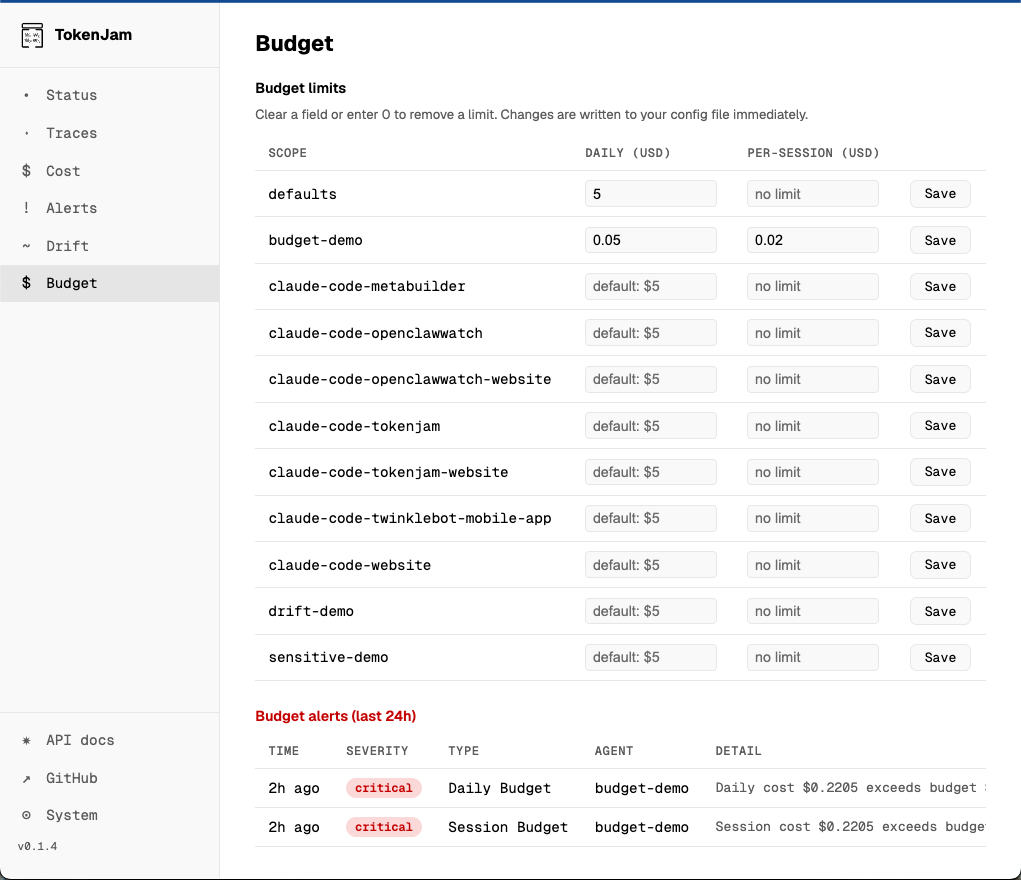
Alerts and Budget are tabs of this screen. Neither is per-session, so they sit in the SDK-services zone here rather than taking a nav entry each. Alerts gives the full history with a severity filter and inline detail expansion. Budget views and edits daily and per-session ceilings per agent: clearing a field (or entering 0) removes the limit, and changes are written to your config file immediately.
Traces
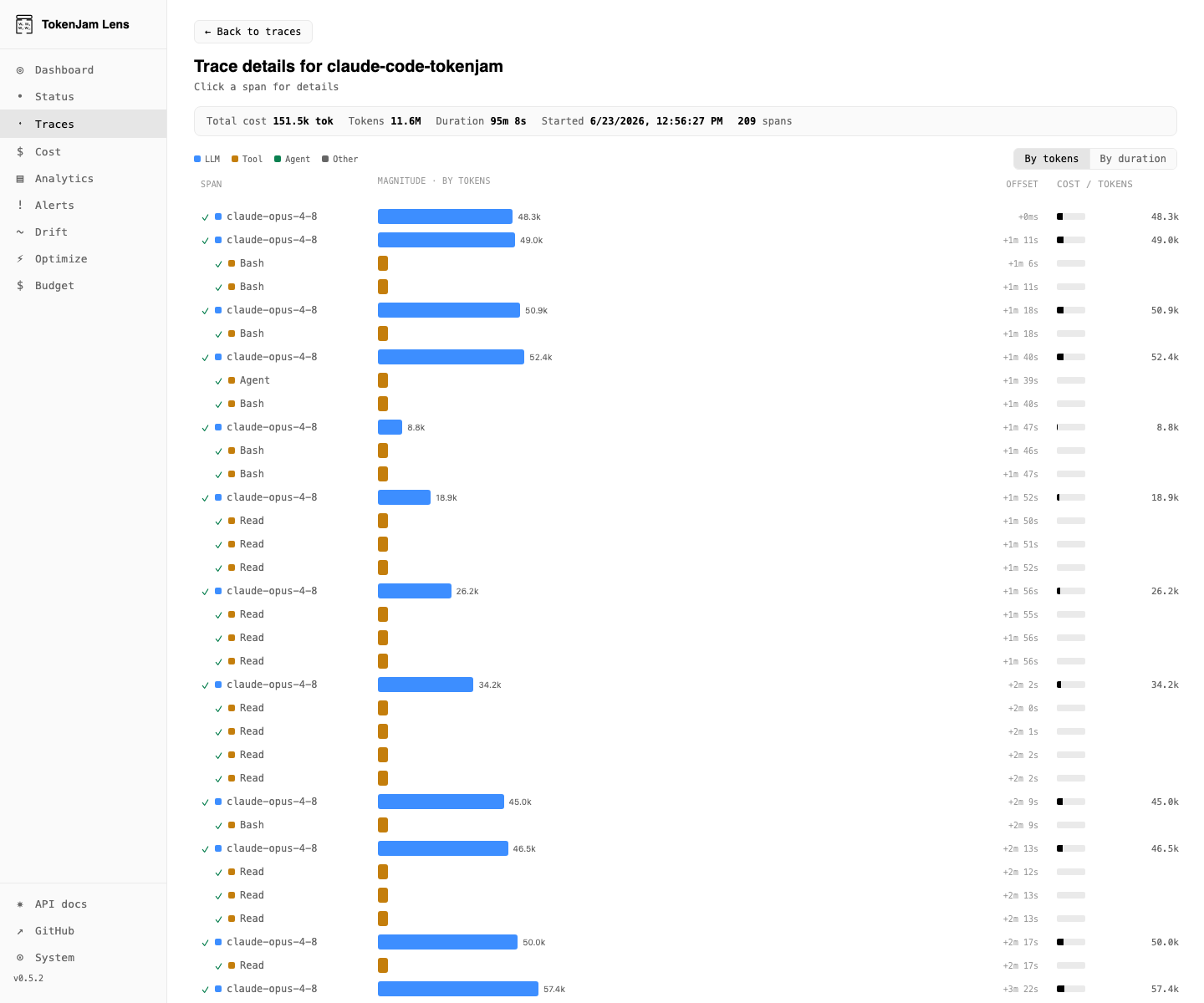
A session-level list of recent traces with token cost, duration, and span count. Open one for the cost-annotated waterfall: every span is laid out by magnitude (toggle By tokens / By duration) with a per-span cost/token column, and hovering a span reveals the call detail — provider, model, input/output tokens, and cache read/write.
Spend
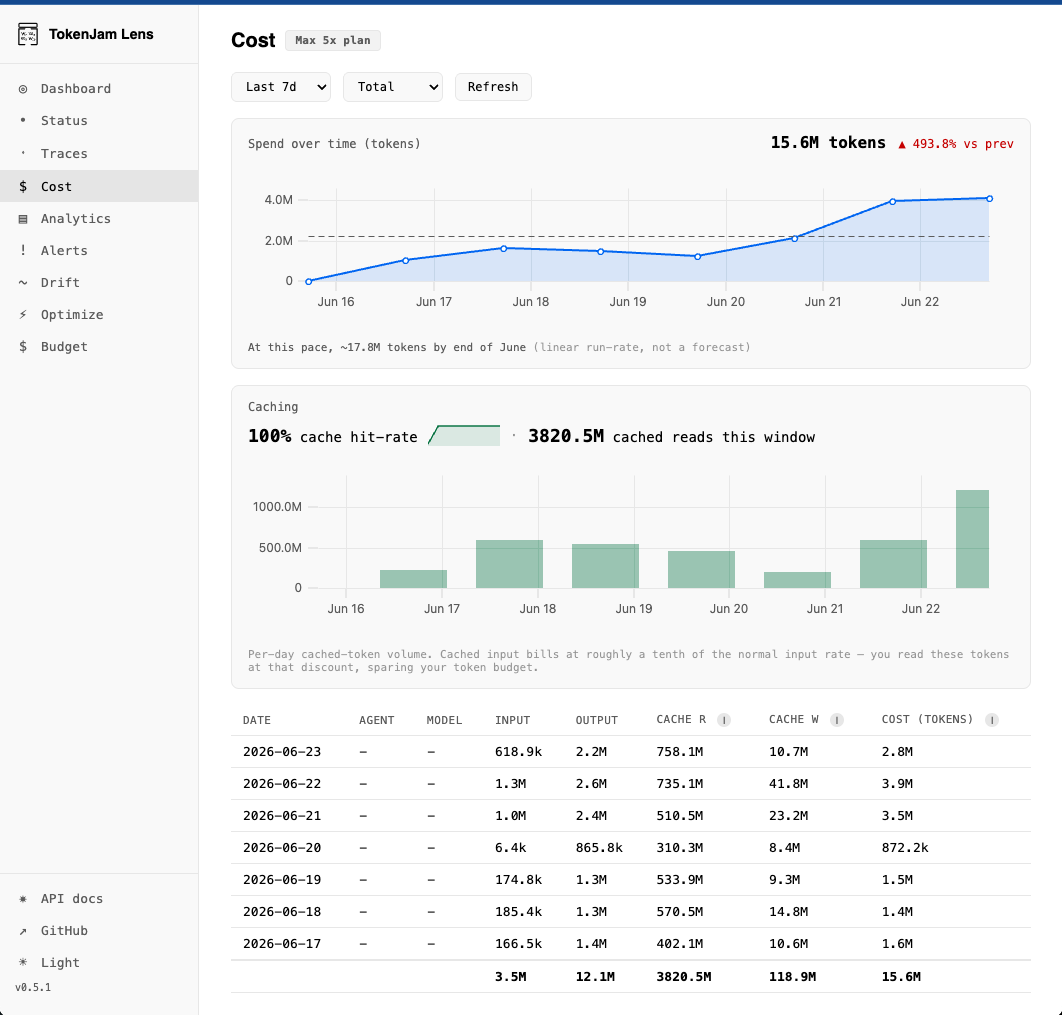
Spend over time (in tokens) with a linear run-rate marker, paired with the Caching card: cache hit-rate, cached reads in the window, and per-day cached-token volume. Cached input bills at roughly a tenth of the normal input rate, so high cache reads spare your token budget. A per-day table breaks input, output, cache-read, cache-write, and total cost down by agent or model.
This screen is built and populated, and it is deliberately absent from the sidebar for both personas. Reach it at #/cost.
Optimize
The recoverable-waste analyzers in full, expanded with the per-finding evidence behind each estimate. Mirrors tj optimize on the CLI. Each analyzer that produced a real finding is injected as a child of the Optimize nav entry in rank order, so the biggest finding is one click from anywhere. Summarize and Relearn are always-present children covering the prompt-summarization lifecycle and the staged rule writes.
Auto-polling
The UI auto-refreshes every few seconds while a session is active. Disable it from the settings menu if you’d rather refresh manually.
Sharing
By default tj serve binds to 127.0.0.1, loopback only. To reach the dashboard from another machine, tunnel to it and leave the listener where it is. Pick a free local port for your end of the tunnel, since your own tj serve may already hold 7391:
ssh -L 7400:127.0.0.1:7391 <host> # then open http://127.0.0.1:7400 locallytj serve --host 0.0.0.0 binds it to every interface, and that exposes your telemetry to everyone who can reach the port. Turning [api.auth] on does not close that: the dashboard route serves the key in its own HTML to any requester, so anyone who can load the page can read the key and call the API with it. If a tunnel is not an option, front the loopback listener with a reverse proxy that authenticates. See Local API auth.
Lens runs entirely on your machine. There is no account to create and nothing to reach out to.