Quota, Not Cost: Why /cost Is the Wrong Number on Claude Max
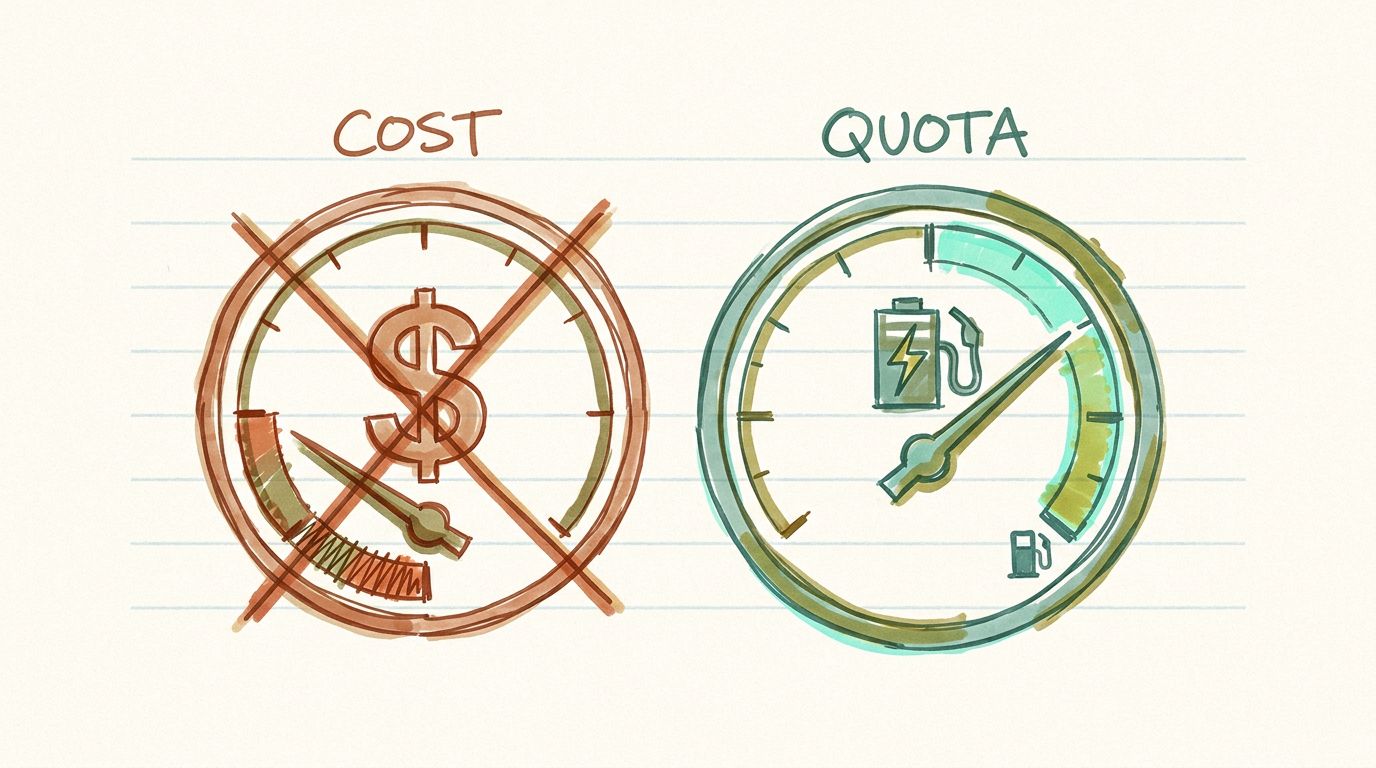
You are staring at the wrong gauge. You are three hours into a Claude Code session on Max, the work is going well, and a small dread creeps in: how much runway is left before the window cuts you off? So you type /cost. Back comes a dollar figure. And it tells you nothing. You do not pay per dollar. You pay a flat fee once a month, and the thing that will actually stop you mid-task is the usage limit on your plan, not a rate-card total you will never be billed for.
This is a workflow problem before it is a product problem. The subscriber reaches for the one visible number, reads it, and walks away no closer to the answer they came for. The instrument on the dashboard is measuring the wrong quantity.
Two different products wear the same word
“Cost” means two unrelated things depending on how you pay Anthropic.
- API user: you are billed per token at the published rate. A dollar figure is your real, variable bill.
/costis a faithful readout, and cutting the number cuts what you owe. - Subscription user (Pro, Max 5x, Max 20x): you pay a fixed monthly fee. Your marginal cost per token is zero until you hit the limit, at which point it becomes infinite: the session stops. The dollars
/costshows are a hypothetical, what these tokens would have cost on the API. That is a counterfactual bill for a plan you did not buy.
For the second group, and the second group is most of Claude Code’s user base, the dollar number is worse than unhelpful. It actively points at the wrong lever. You start trying to shave dollars when the thing you needed to manage was your position inside a five-hour window.
The community worked this out before any tool did. The standing guidance across setup notes and threads is direct: subscription users should rely on /status and /stats, not on /cost estimates, which are not the right billing reference. /cost is API-user framing that happens to be printed in everyone’s terminal.
What a subscriber actually needs to see
Swap the units from dollars to quota and the instrument you want falls out in three parts.
- Position: where you are in the current usage window. Not “you have spent $6.40” but “you are 70% through this window with 90 minutes left on the clock.”
- Burn rate: how fast you are consuming the window right now. A steady drain and a spike look identical on a dollar meter. On a quota meter, the spike is the whole story, because the spike is what cuts you off early.
- Composition: what the burn is made of. How much of this window went to real work versus re-reading the same context every turn: a 12,000-word CLAUDE.md, MCP schemas reinjected each call, a stack of globally installed skills reloaded on every step.
Position and burn rate tell you when the wall arrives. Composition tells you why, and it is the part every existing tool skips. A dollar total cannot separate the tokens that moved your task forward from the tokens that re-read a file the model had already seen four times. Those spend identically. They are not worth the same.
I kept seeing the same confusion across r/ClaudeAI threads through the spring. Someone posts that their quota “depleted in 19 minutes with normal usage,” or that a single prompt took them from 21% to 100%, and the first replies point at /cost as if a dollar estimate could explain a window that emptied in minutes. It cannot. The usage-limit crackdowns of March to May 2026 turned this from a power-user curiosity into a mainstream complaint, and the whole conversation was happening on an instrument that does not measure the quantity in question.
| Feature | What /cost shows | What a Max user needs |
|---|---|---|
| What the number is | A dollar total priced against the API rate card | Percent of the current usage window consumed |
| Can you act on it | A bill you never pay on a flat plan | Burn rate: how fast this window is draining right now |
| Granularity | One aggregate number | Composition: real work vs re-reading the same context |
| Time to the wall | No signal about when the window resets or cuts off | Time and headroom left before the wall |
| Spikes | Same number for a spike and a steady drain | The spike isolated, because the spike is what stops you |
Dollars still matter, for a minority
None of this makes cost meaningless. It relocates it. For the API user, the dollar figure is the whole game, and /cost is doing exactly what it should. For the subscriber, dollars keep one honest use: calibration. If you are consistently burning quota that would have cost far more than your monthly fee on the API, the plan is a bargain and the upgrade math is easy. If you are nowhere near the value of your tier, that is a signal too. Cost is the answer to “am I on the right plan,” a question you ask a few times a year. It is not the answer to “will I hit my limit before this task finishes,” a question you ask several times a day.
I have written before about how cost dashboards report the bill without recommending a change, and about where your agent bill actually goes. The quota case is the sharper version of the same argument. On a subscription, there is no bill to report at all. There is only a window, and how you are spending it.
The quota instrument
This is the whole reason TokenJam exists. TokenJam is a local-first quota and session diagnostic for Claude Code, and it reports against your plan tier rather than a rate card. Plan-tier-aware quota reporting ships today: it reads the usage records already sitting in your Claude Code JSONL, on your machine, and frames them against Pro, Max 5x, or Max 20x. Nothing leaves your disk and there is no signup. Install it with pipx install tokenjam (or npx tokenjam, or uvx --from tokenjam tj) and it reads what is already there.
The composition view, the per-turn split between real work and re-reading context, ships today too, under tj context. That is the part that turns “you are burning fast” into “here is the specific thing eating your window.” You can install and run it right now: pipx install tokenjam then tj context. If you would rather stay inside Claude Code’s own commands, the community read still holds: check /status and /stats, and ignore the dollar figure /cost hands you. The dollar figure was never yours to begin with.
Common questions
- Is the number /cost shows me actually my bill on Max?
- No. On a Pro or Max subscription you pay a fixed monthly fee, so your real bill does not change with usage. The figure /cost prints is what your tokens would have cost on the pay-as-you-go API rate card, which is a plan you did not buy. It is a hypothetical, not an invoice. The number that governs your session is your remaining quota in the current usage window, not that dollar total.
- Why did my 5-hour window vanish in 19 minutes with normal usage?
- Almost always because the burn was concentrated, not because you did a lot of work. A single heavy prompt, a wide multi-agent fan-out, or a large context re-read every turn can drain a window fast, and a dollar meter cannot tell that spike apart from a steady drain. What you want is burn rate and composition: how fast the window is draining and how much of it went to re-reading the same context versus doing real work. That is the quota view, and it is what /cost cannot give you.
- What should I use instead of /cost on a subscription?
- The community guidance is to rely on /status and /stats rather than /cost estimates, because /cost is not the right billing reference for a flat plan. Those give you a read on your usage against the window instead of a rate-card dollar figure. If you want the composition of the burn, the split between real work and re-reading context, that is what TokenJam's 'tj context' view shows today.
- So dollar cost never matters if I am on Max?
- It matters for one thing: deciding whether you are on the right plan. If your quota consumption would have cost far more than your monthly fee on the API, the tier is worth it and an upgrade is easy to justify. If you are well under, that is a signal too. Cost is a calibration and plan-choice question you ask a few times a year, not the day-to-day question of whether you will hit your limit mid-task.
- Does TokenJam send my usage data anywhere?
- No. TokenJam is 100 percent local. It reads the JSONL usage records that Claude Code already writes to your machine, reports against your plan tier, and never phones home. There is no signup and no account. You install it with pipx install tokenjam or npx tokenjam and it works off the files already on your disk.
- Can TokenJam show me where my quota is going right now?
- Yes. Plan-tier-aware quota reporting frames your usage against Pro, Max 5x, or Max 20x from your local records, and the per-turn composition view ships today too. Run 'tj context' and it shows the split between real work and re-reading context, so you can see the specific thing eating your window. Install it with 'pipx install tokenjam' then 'tj context' (or 'npx tokenjam', or 'uvx --from tokenjam tj'). If you would rather stay in Claude Code's own commands, read /status and /stats and treat the /cost dollar figure as noise.